Your AI agent,
in your pocket.
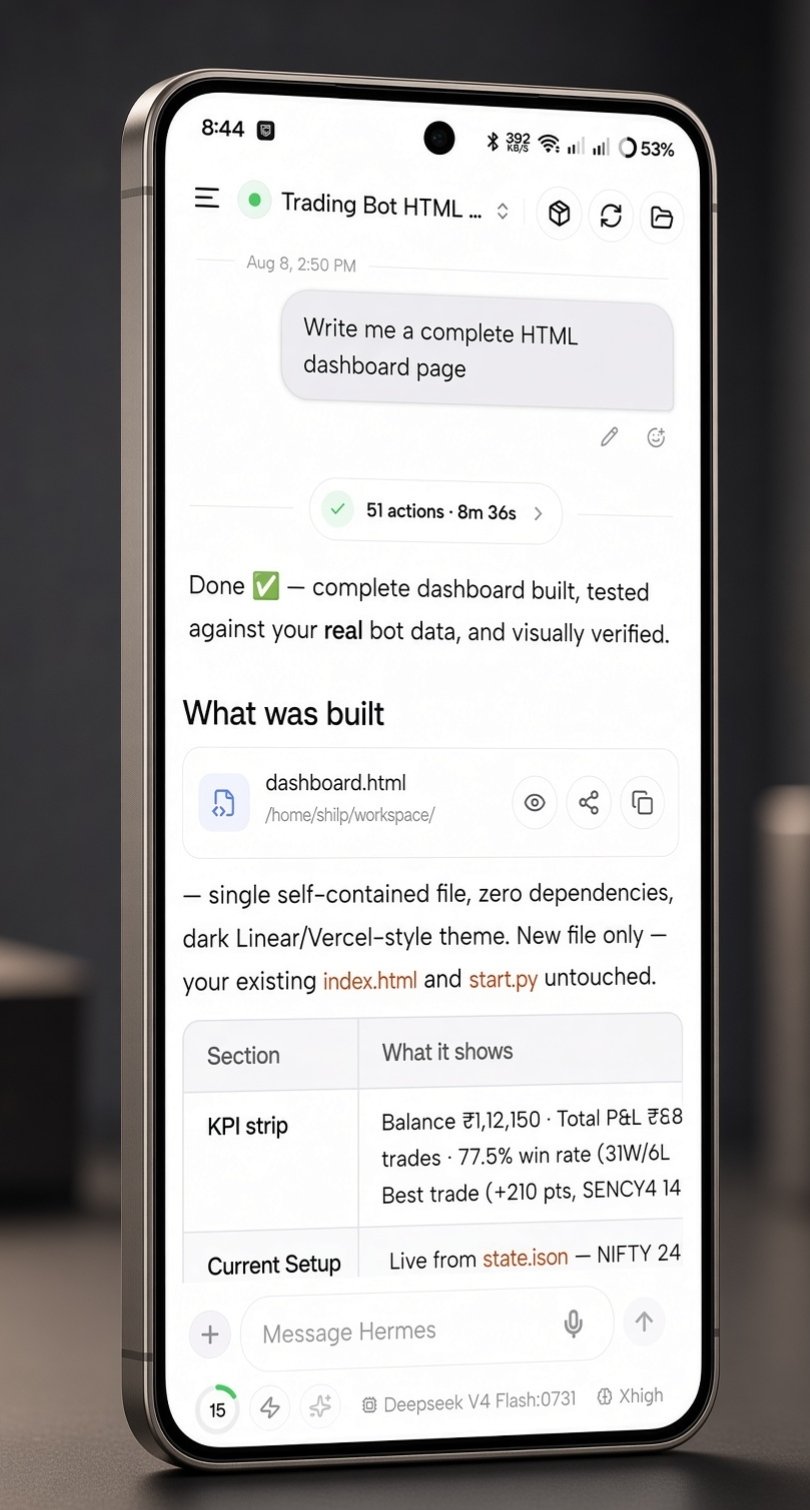
A native mobile client for your hermes-agent — self-hosted or Hermes Cloud. Live streaming, Bots Mode, 16 themes, custom endpoints, multi-server switching, desktop-style @ handoff, voice, artifacts, and full agent control from anywhere.
- One-prompt setup — basic auth, port 9119, Tailscale detection, connection details handed back
- Direct WebSocket — over LAN or Tailscale to your server, or via Hermes Cloud
- Bots Mode — named teammates, desktop-style @ handoff from any chat, and routines
- 16 themes — dark, light, and system presets with a live gallery
- Custom endpoints — connect Ollama, vLLM, LM Studio, and more
- Checkpoints & git — roll back file edits, stage, and commit from chat
- Multi-server switching — save, rename, and switch Hermes hosts with one tap
Now live on Google Play · Free · Android
By the numbers
What you get, measured.
LAN or Tailscale direct — or Hermes Cloud.
Auth, port 9119, Tailscale detection — handed back to you.
Chat, voice, brain, work, sessions, dashboard, connect, settings.
Every tool the desktop agent has, on the phone.
In the App
Real screens. Real agent.
Why Hermes Go
Your agent, wherever it runs.
Hermes Go puts it in your hand.
Direct or Cloud — your choice.
A direct Tailscale WebSocket to your own server — or Hermes Cloud when you want a managed agent. Nothing runs through an unknown third party.
Set up in one prompt.
The agent configures auth, binds port 9119, detects Tailscale, and hands you the details.
The full agent, not a chat app.
Voice, approvals, tools, cron, Star Map, system control — everything desktop does, in your hand.
What’s New
Changelog
Share destinations, room files, and a hardened Build Team
New build on Google Play — update through the Play Store.
- Send a share to Chats, Bots, or Groups — pick the destination and the composer still waits for you to send; room shares take text and files
- Room attachments — photos, camera shots, and files staged into every responding member's session, up to 6 per message, with a clear error when one is too large
- Corrupt-store banner on Sessions — a clear notice when the local cache is damaged, and a bulk delete that cannot remove a still-running chat keeps it instead of hiding it
- Another install warning on Home — shown while another Hermes installation is using this profile, until the conflict clears
- Finished chat, room, and team notifications clear when you open the app — unanswered prompts stay, so nothing you still owe is lost
- Memory for the profile you are managing — read and write it directly, and delete is blocked on profiles Hermes owns
- Routines and templates stay on the profile you picked, and script-only runs show their result without opening a chat
- Plugin updates ask first when they widen what a plugin can do, and say when a restart or a memory-provider reset is required
- Model, reasoning, and YOLO changes retry when the live session is stale, and the YOLO badge rolls back if the server never armed it
- Version 2.2.0 with updated Expo packages, and a release build shrunk and obfuscated for Google Play
- Answered permission questions no longer hold Create — approval, MCP, and file-write grants are taps inside the app instead of a planner turn, so a failed send cannot strand setup
- Create appears as soon as nothing is open — a plan that has questions and zero bots renders its question deck instead of the teaching empty state
- A skipped branch cannot pin the flow — a question whose depends_on parent went unanswered no longer blocks readiness
- The six-question cap keeps required and answered questions — an optional question can no longer evict one you still have to answer, and a permission question is never dropped by the cap
- Refused edits explain themselves — the reason is shown instead of a generic failure, and the settled "Working on the plan…" line clears when a turn ends
- Roster safety — a build refuses to start when the agent roster cannot be read, and file-writing toolsets stay stripped until an answer authorizes them
- Secret scanning hardened — a second secret in the same SOUL can no longer slip past the scanner, secrets embedded in names are caught, and ordinary words like READ_ONLY are no longer false positives
Provider quota, Skill Hub & plugin catalog, and sturdier sessions
OTA update for installs from Google Play — the installed app self-updates.
- Remaining usage on your configured providers — open Provider quota from Models or the chat model-picker chart icon; Codex and Claude windows also appear in the context sheet when a matching chat is live
- Provider quota cards toggle — in Hermes Go features → Providers, on by default; turning it off stops the fetches and clears provider keys from memory
- Skill Hub shelves — filter the official catalog by Agents, Dev, Finance, Security, and other bundled categories; community indexes appear in search results only
- Search, preview, and install — community and official skills, Get after confirm, Update all for hub-installed skills, and Remove
- Plugin Catalog — filter by category or search by name, description, maintainer, tools, or env vars; install, update, and remove
- Discover jumps — Skill Hub and Plugin Catalog open straight from Brain → Discover in the drawer
- Copy session id from the chat status sheet
- Stay connected when the gateway is degraded — Health warns on a degraded gateway and a stale heartbeat instead of dropping you
- Capabilities re-advertised after reconnect, so server prompts keep working
- New bots copy API keys from the main profile; OAuth logins stay on the host
- An edit that races a live turn restores the transcript and asks you to retry, instead of losing the turn
- CLI one-shot runs stay hidden from conversation lists
Sturdier approval prompts, accurate model specs, and storage error alerts
OTA update for installs from Google Play — the installed app self-updates.
- Disk-full and database-locked alerts — clear, actionable banners instead of cryptic failures when the host runs out of space or the database locks
- Approval, clarify, sudo, secret, and vault prompts now run on the v7 request protocol — and replay seamlessly when a session resumes, so they survive reconnects
- Sudo prompts show the exact command asking for elevation, so you know what you are approving
- Model specs match live sessions — context limits and capabilities line up with what the session actually uses, across GLM, DeepSeek, Qwen, and custom models
- Expired or interrupted prompts dismiss immediately instead of lingering on screen
Saved prompts, Needs Attention feedback replies, and smoother composer input
OTA update for installs from Google Play — the installed app self-updates.
- Bookmark a message — save any prompt straight from your own bubble; a filled tick means it's already saved
- Fire from the composer — the / picker's Snippets section, the + attach menu, and Home insert a saved prompt with its skills, commands, and file chips — never auto-sends
- Manager in Settings — search, view, edit, copy, delete, or add prompts; synced through backup
- Needs Attention bell — cron, pairing, updates, and replies to your feedback in one place at the top
- Feedback updates — when a request you sent gets a reply or a status change, it lands in Needs Attention
- Workspace projects and repo discovery are strictly scoped to the active profile
- Multiline Enter no longer interrupts a live turn when Enter-to-send is off
- Input height expands smoothly while typing wrapped lines — up to four lines instead of collapsing
- Screenshot uploads now use native file-system binary transfers — no more failures on device storage
Notification preferences, collapsible loop cards, delivery rails, and token breakdowns
OTA update for installs from Google Play — the installed app self-updates.
- Delivery modes — choose "All updates" or "Approvals only" inside the app
- Per-category toggles — turns, bot chats, and live status each switch on or off
- Alerts-off banner — when system notifications are disabled, a banner explains it and opens the system settings
- Deliver to rail — cron jobs and bot routines pick Local or any connected platform, with clear badges
- Run history jump — tap any past execution to open its chat session
- Reasoning effort per auxiliary task (Auto, off, low, medium, high) in the Auxiliary Models modal
- Webhook and callback URLs shown directly on channel cards
- Colored verb badges and structured change summaries for file and memory updates, with middle-truncated paths and one-tap copy
- The token usage card now shows the full in / out / cache breakdown
- Credential and toggle changes apply live on shared gateways — no host restart
- Unified On/Off segmented styling across safety, voice, and system settings
- Opening or messaging a session whose profile was deleted on the host now shows a clear notice
- Loop status cards collapse properly — tap to fold, with the prompt preview inline in the header instead of a permanently expanded card
Faster session resume, live dashboard metrics, and Channels filtering
OTA update for installs from Google Play — the installed app self-updates.
- Refresh on demand — pull fresh performance and host metrics with animated feedback
- Health visuals — memory progress bars, tuned CPU health thresholds, and session sparklines
- Filter chips and search — pinpoint active, broken, or configured integrations fast
- Telegram and WhatsApp setup now open in dedicated configuration sheets
- Faster session resume — streamlined resume payloads stop long conversations timing out when you open them
- No double-sends — messages aren't submitted twice when the connection drops while history is still loading
- Heartbeat grace periods — the connection stays alive while your host works through sync tasks
- Server switches refresh once — rapid host changes coalesce into a single refresh instead of background churn
- No roster poll floods — background subagent status checks are deduplicated before they hit the server
Session control loops, live subagent roster, modernized tool cards, Nous sign-in
OTA update for installs from Google Play — the installed app self-updates.
- Goal card — a standing /goal shows above the composer; pause, resume, or clear it from the card
- Heartbeat card — pause, resume, or clear a /heartbeat from its card
- Idle heartbeat (/heartbeat) — re-prompt this chat on an interval while it is idle
- Subagent roster — live status, model, and current tool for every child agent and parallel worker
- Inline execution cards — subagent steps, live statuses, and returned output render inside the thread
- Per-worker controls — open a worker's live tail, or stop a running child from its row
- Redesigned tool cards — unified styling, expandable output containers, and one-tap copy
- Refreshed cards for file reads/writes, terminal, web search, file search, and image generation with live preview states
- Vault prompts — unlock the vault, save a site login, or enter a one-time code from chat; secrets stay on your host
- /login — open the Nous account sheet straight from the composer
- Account state — Health shows Free tier, Logged in, or Not logged in for the Nous portal
- Plugin catalog — browse curated plugins with capability badges and install by catalog name
- Needs Attention sheet — every active alert in one swipeable sheet with one-tap actions and swipe to dismiss
- The composer grows smoothly with multiline drafts instead of jumping
- Large pasted text collapses into a compact pill you can expand when you need it
Build Team canvas, Model Specs & Cost Guard, Live Reasoning — now on Google Play
- Team Builder — assemble multi-agent teams on a visual canvas with draggable bot nodes and auto-layout; open from Bots → Build Team
- Soul auto-composition — draft each teammate's identity yourself or let the builder propose one
- Plan pipeline — draft → verify → execute plans with human-in-the-loop question cards and locked parameters
- Starter templates — prebuilt team recipes to start from in one tap
- Team routines & schedules — recurring multi-agent workflows owned by the team
- Live deployment monitor — progress sheets and an activity feed while a team deploys; archive finished teams
- Model specs — context window, max output, modalities, provider, latency, and pricing visible in the model picker
- Capability badges — vision, reasoning, and tool badges across every picker
- Cost Guard — spending budgets, threshold banners, and per-turn token guards
- Cost confirm — a confirmation dialog before sending to expensive models
- Embedded Hub Picker — switch Models, Skills, Tools, and Plugins without leaving the page
- Live Reasoning banner — expandable banner during thinking with elapsed time, token metrics, and collapsible thought traces
- Side questions — answer the agent's tool or subagent questions from chat as cards, without stalling the running turn
- Prompt stack — collapsible stack of pending prompts with status pills, strictly scoped to their owning session
- Listing embeds — tool results with lists or directory trees render as interactive sortable, filterable cards
- Full-screen composer — long-form writing modal with formatting tools, token estimates, and attachment management
- Chat preferences — composer layout, auto-scroll, and formatting options are remembered
- Reply from the shade — type into the running conversation straight from the notification
- Stop from the shade — cancel the running turn with a notification action button
- Deep links — one tap on a notification lands in the right session or group room
- Interactive mosaic grid with category tiles, inspect modals, real-time fuzzy search, deep-link jumps, and persistent layout
- Status indicators, trigger history per job, and on-demand manual dispatch with confirmation
- Double-tap back to exit with toast; keyboard-avoidance fixes; faster folder reassignment with inline New Chat
- Replay-gap detection resyncs messages missed while offline; detached turns recover without losing your draft or scroll position
- Legacy GitHub APK update checker — updates now arrive over the Play beta and OTA only
Hermes Live, Bot Groups & rooms, multi-host switcher, native v2.0.0 build
- Background keep-alive — a native foreground service keeps the WebSocket, heartbeats, and in-flight turns running while your phone screen is off or the app is backgrounded
- Live notifications — rich system notifications show turn progress, streamed tokens, and tool execution status in real time
- Act from the notification — quick-reply and approve/deny directly from the notification shade; no third-party push servers, everything stays on-device and direct to your server
- Remote-messaging foreground service — no Android 15 6-hour cap; CPU wake-lock keeps the heartbeat alive through screen-off
- Bot Groups — create multi-agent teams with member rosters, @mention tags, and execution playbooks; memberships sync across devices via the host profile
- Shared room & turns — round-based group chat with dynamic leader dispatch, passes, capped rounds, and midflight steering
- Consensus cards — each round distills votes, rationale, and confidence into takeaways, findings, risks, and next steps
- Deliverable reader — one-tap copy and Markdown export of generated reports, with code-block extraction
- Group routines — schedule autonomous recurring multi-agent workflows run by the group lead
- Approval runtime — block on dangerous actions with approve/deny/sudo prompts, including "always allow" and batching
- Live activity rows — agent progress, todos, subagents, and loops in a compact stack above the composer
- Saved servers — store multiple self-hosted and cloud instances, switch with one tap, and label them with nicknames
- Clean teardown — switching overlay wipes per-host state so chats and caches never leak across servers
- Checkpoints & rollback — browse shadow snapshots taken before file edits, restore files, and rewind chat context
- Git review — stage or discard changes with confirmations, then commit and push from the phone
- Cursor-paginated session sync — fast startup on large catalogs; remaining pages stream in the background
- Bot Groups sync — group definitions and room state persist locally in SQLite and back up to the host profile
- Global Search and Feature Map now index Hermes Live, Bot Groups, Group Chat, Group Routines, Deliverable Reader, and Saved Servers
Bot groups, shared room & consensus, APK update checker, checkpoints toggle
- Bot Groups — organize teammates into named teams by project or role; group memberships sync to your Hermes host
- Shared room & turns — multi-agent discussion room where seated bots take turns in capped rounds with pass support, turn aborting, and token-cost budget caps
- Executive consensus cards — automatically distill round discussions into key takeaways, core findings, risks & caveats, and next steps with one-tap copy/share
- Scoped exports — export clean consensus deliverables or full verbatim transcripts with built-in code block inspection
- Room mentions & steering — @everyone broadcast, individual bot tagging, midflight steering, and dynamic rounds extension
- Group pills in Details — add or remove an agent's group memberships directly from its detail sheet
- Host profile backup — group definitions and memberships are backed up to the host profile and cached locally in SQLite
- Direct release check — checks GitHub releases directly for new sideloaded APK builds with strict 24-hour automatic throttle and 5-minute manual cooldown
- Dashboard update banner — displays available native APK updates with release notes and a direct download shortcut
- Settings check — manual "Check for updates" in Settings to inspect release status anytime
- Setup toggle — enable or disable workspace shadow snapshots directly from System Setup → App Features with live gateway environment synchronization
- Multi-agent rounds enforce serial turn execution and prevent runaway loops through per-round and per-reply caps
- Steer working teams midflight without losing message history or composer state
- Global Search and Feature Map now index Bot groups, Shared room, Executive consensus, Deliverable export, APK update checker, and Checkpoints toggle
Multi-host switching, server nicknames, clean teardown, paged sync
- Saved servers — save multiple gateway and cloud instances, switch with one tap
- “Switching to…” overlay with clean memory teardown — no leaks across servers
- Saved Servers card — active host hero, status pills, 1-tap switch, custom rename, add another
- Remove & forget servers with confirmation, wiping local caches and watches
- Port-aware dedup and safe cookie jar separation for multi-port hosts
- Saved servers section on connect with sign-in validity per instance
- 1-tap switch for valid sessions, password prefill for expired ones
- Optional server nickname — label environments like “Home Lab” or “Work VM”
- Add another server without disconnecting the active host
- Cursor-paginated sync — first page renders instantly, rest streams in the background
- Instance-scoped SQLite and profile gates — no ghost deletions or stale history
- Connection epoch tracking invalidates stale websocket messages during transitions
- Dynamic API re-pointing and abort handling when switching hosts or recovering
- Global Search and Feature Map now index Switch server, Saved servers, Add server, and Remove server
Checkpoints & rollback, git stage & commit, Legal hub
- Checkpoints & rollback — browse automatic shadow snapshots taken before agent file edits
- Preview unified diffs and file-change statistics for every snapshot
- Restore files and rewind conversation context, with safety checkpoint creation
- Point checkpoints at any project folder and toggle them in App Features
- Interactive staging — stage, unstage, or discard uncommitted modifications with confirmation
- Quick Stage All / Unstage All on section headers
- Built-in Commit bar — type a message, commit, or commit and push in one tap
- Legal screen with About, architecture diagrams, Privacy Policy, Terms, Licenses, and Contact
- Open-source license catalog — 82+ packages with versions, license types, full previews, and copy
- Privacy integrity check against the public web mirror via SHA-256
- Host battery badge — percentage, charging state, and power category on System Health
- Fixed the model picker crash when expanding and collapsing provider categories
- Provider-wait notices are scoped per thread — no more leaking across sessions
- Expand and edit collapsed paste snippets inline before sending
- Quiet notice when the backend silently substitutes a model on fresh session creation
- Chosen models stay on the dashboard composer across sends
- Global Search and Feature Map now index Checkpoints, Git Review, Legal & Privacy, and Host Battery
Custom endpoints, Blob Studio, expand + paste collapse
- Custom endpoints sheet: list, add, edit, and delete custom OpenAI-compatible API endpoints (Ollama, vLLM, LM Studio, and more).
- Endpoint testing: probe the URL for reachability and auto-discover available models for the picker.
- Server-side API keys: keys are stored server-side only — replace, keep, or clear; never shown back to the client.
- Legacy support: existing config.yaml endpoints appear as activatable rows (not deletable).
- Surface in Models, Global Search, and Feature Map.
- Blobatar defaults: new bots start with live Blobatar faces — blob, sun, cloud, nub, and more.
- Blob Studio: tune looks, body, face, color, pose, hue/tone, background, and traits with live preview.
- Seed controls: shuffle the seed, lock an identity, pin/unpin axes, and discard unsaved edits with confirm.
- Alternate avatars: keep classic geometric shapes, photo upload, and AI generate as slide options.
- Bot Chat watermark: faint blob face watermark in Bot Chat only; pulsing Working pill when a bot's task is live.
- Expanded composer: long drafts open into a full-screen editor with model/effort, chips, / and @, dictate, and send/steer/stop.
- Paste collapse: large pastes, code fences, and stack traces auto-collapse into snippet attachments.
- Snippet preview: detect language for snippet names; tap a snippet to preview; paste from clipboard the same way.
- Needs Attention: swipe left to dismiss rows; revive after 48h or when the issue clears.
- Hermes update alerts: non-dismissable until the update is handled.
- Thinking budget: Unlimited is now the default step budget with 20/40/60/80 caps.
- Background reconnect: suppress the brief "Connecting…" flash when the socket recovers quickly.
- Blob face, Working pill, and work mood now correctly reflect a bot's live task status.
- Bot Chat watermark persists and clears as expected.
16 themes, Bot Details chats & MCP, forever /new
- Theme gallery: choose from 16 WCAG-minded presets with live preview cards in a 2-column grid.
- Dark presets: Obsidian Teal, Midnight OLED, Tokyo Night, Catppuccin Mocha, Nord Polar, Rosé Pine Moon, Cyber Synthwave, Obsidian Gold, Emerald Matrix.
- Light presets: Titanium Frost, Catppuccin Latte, Nord Snow, Rosé Pine Dawn, Kyoto Matcha, Paper & Ink, Solar Daylight.
- System mode: pick separate dark and light defaults; long-press the mode segment to open the gallery.
- Reset restores the default Obsidian Teal / Titanium Frost; choices persist with appearance prefs.
- MCP panel: search and filter servers with On/Off toggles when the gateway is connected; clear offline note when not.
- Chats section: Forever Bot Chat pin, Draft, live pulse, unread dot, preview, relative time, and message count.
- Delete scratch chats: ··· menu on non-forever chats with confirm; Forever chat cannot be deleted.
- Hidden Bot Chats: list hidden Bot Chats via session.list include_hidden; profile-scoped delete via gateway or REST.
- /new in Bot Chat: typing /new or /reset in the forever Bot Chat rewrites to /compact with a notice pointing to New chat for throwaways.
- Action sheet icons: session long-press items now show Lucide icons for star, folder, read/unread, rename, archive, and delete.
- Android/Web action sheet: grabber, title/subtitle, Lucide icons, elevated surface, and theme tokens.
- Collapsible setup prompt: expand to read the full prompt, then copy; replaces the plain text block.
- Expanded color tokens for surfaces, glass, scrims, chip colors, YOLO/reasoning, code/markdown, inputs, media placeholders, and shadows.
- Chat, composer, dashboard, sessions filters, banners, tool cards, code blocks, model/effort pickers, and status chrome all use theme colors instead of hardcoded hex.
- Soft assign/pending/danger tints and send-button shadows follow the active palette.
- Voice dictation and Home sends use the same desktop-style handoff wire and card watch as typed @mentions.
- Pending/failed rows use theme soft fills; failure text can wrap to three lines.
- Removed the old Home-only assign shortcut that skipped the current-agent turn.
- The forever Bot Chat stays primary in Details; other chats collapse under "Other chats (N)".
- Skills and tools toggles can now disable while a change is in flight.
- Credentials note appears when relevant; leave-and-open flows for New chat, routines, and memory work as expected.
Bots Mode — desktop handoff, hidden rosters, cleaner cards
- Hide from roster: take an agent off the visible roster without disabling its mentions or routines.
- Hidden agents: reveal hidden teammates from a dedicated row, with an unread indicator when one has new activity.
- Bot avatars: choose a face, upload a photo, or generate an image from Bot Details or New Agent.
- Bot-scoped Star Map: open the selected teammate’s learning graph directly from its Details sheet.
- Desktop-style @ handoff: assignments go through the current agent while the specialist keeps its own Bot Chat; the reply returns to the original conversation.
- Assignment and request cards: cleaner Asking, Waiting, and Replied cards, expandable requests, copy support, and a direct path to the specialist chat.
- Batch clarification: answer several questions in one card with multi-select, Other, Confirm, and Skip.
- Technical activity view: switch the Activity sheet to raw JSON when the underlying tool payload matters.
- Home voice controls: dictate into the Home composer or start a hands-free voice chat from Home.
- Roster rows prefer the pinned Bot Chat for preview, unread state, sorting, and last-active details; hidden rows are visibly dimmed when revealed.
- Bot faces now prefer real photos and animated geometric faces over unusable desktop snapshot images, with a safe fallback when an avatar cannot load.
- Assignment cards use a consistent compact chrome, quote the request, collapse long specialist replies, and keep the thread anchored while cards expand.
- HTML `<details>` / `<summary>` sections in agent replies are now collapsible like the desktop client while tags inside code fences stay untouched.
- Activity cards preserve real per-tool elapsed time, including after background recovery and history rehydration.
- Session and Bots gesture hints are dismissible and remembered per host.
- The default management profile can have a display nickname without changing its identity.
- Cron surfaces distinguish a scheduled fire that never reached the gateway from a job that ran and failed.
- Temporary polling misses during an assignment no longer appear as a failed handoff; the card remains in Asking or Waiting until the specialist answers.
- Handoff receipts and returned replies stay attached to the correct conversation across thread switches, restarts, and Bot Chat isolation.
- Reconnecting after a stale live connection resumes the durable conversation instead of replaying attachments or sending through a dead session.
- Batch clarification prompts restore correctly after reconnect, with previously selected answers still available to edit.
Bots Mode — AI teammates, @-assign, routines
- Bots hub: a new drawer destination for named AI teammates, with Agents and Routines segments, expanding search, pull-to-refresh, and clear offline or host-version states.
- Build an AI teammate: create from scratch or clone another profile with a name, handle, title, description, model, reasoning effort, Fast mode, skills, toolsets, optional SOUL, and key-sharing controls.
- Bot identity: live geometric faces with idle and working moods, stable handles, optional JPEG/PNG/WebP avatars, and roster indicators for Default, In Chat, and unread work.
- Bot details: edit the teammate’s title, description, model, skills, tools, and SOUL; see its chats, memory and skill counts, Star Map, and routines from one sheet.
- Forever Bot Chat: one canonical conversation per teammate stays out of Home and Sessions recents, while scratch chats remain separate and easy to start.
- Assign with @: type `@` in any existing chat or Home composer to choose a teammate without leaving the conversation. The agent works in its own Bot Chat and its reply comes back here.
- Multi-agent assignments: select several teammates, remove them as chips, and send one request to the group; self-mentions are excluded.
- Live assignment receipts: see Asking, Waiting, Couldn't reach, or Replied for each teammate, open their Bot Chat, and read the returned markdown reply in place.
- Bot-side request cards: assigned agents see who asked, what was requested, and can expand or copy the request without exposing protocol details.
- Agent routines: schedule recurring work as a specific teammate with interval, daily, or one-time timing and a live expression preview.
- Routine controls: filter by teammate, inspect next run and history, pause, resume, run now, or delete.
- Bots discovery: Bots now appears in the drawer rail, hub flyout, global search, and Feature Map; a bot’s Star Map opens scoped to that teammate.
- Running loops on Home: see active loops from the dashboard and tap View to open the relevant chat.
- Session unread state: mark chats read or unread where the host supports watermarks; bot chats remain owned by Bots instead of cluttering recents.
- Roster rows now show a face, last-active time, preview, @handle, unread dot, status pills, and an active face ring; swipe right for Details or left for a new scratch chat.
- Create and Details sheets preview faces live, confirm dirty closes, save only changed fields, and roll back skill or tool changes if a save fails.
- Empty, offline, outdated-host, failed-load, and no-search-result states now explain what is happening instead of showing a blank screen.
- Bot conversations keep their own profile for resume, sending, queued work, and usage while the management profile stays where you left it.
- The composer model pill now honestly shows profile model, reasoning effort, and Fast state; history tips fetch newest-first so compacted archives do not hide recent days.
- Backup settings explain exactly what is uploaded and restored, including the path and the data that is never included.
- Opening a Bot Chat no longer switches the drawer’s management profile or leaks bot state into regular sessions.
- Pinned Bot Chats reopen directly instead of waiting on a long roster fetch; scratch chats are created only when first used.
- Bot profile operations now cover profile creation, configuration, assets, skills, toolsets, and avatar generation, with honest “host update needed” handling when the server is too old.
- Bot assignment receipts survive app restarts, multi-target replies stay attached to the correct request, and profile-scoped session/message data stays with the right teammate.
Session loops, host pressure alerts, reconnect polish
- Recurring loops: keep an active `/loop` pinned above the composer with its prompt, countdown, and status
- Loop controls: pause, resume, or stop from the card itself — no command to remember
- Activity stack: todos, subagents, and loops share a compact stack above the input; three live surfaces collapse into one Activity group
- Plans that stick: unfinished todo lists stay pinned across turns, show when work is from the last turn, and do not reappear after completion
- Memory and disk alerts: Home and Health show an advisory when the gateway reports elevated or critical pressure; alerts stay quiet on older agents
- Readable tool cards: key-values, chips, lists, and markdown are easier to scan than raw output
- Complete history after compaction: archived rows continue past an in-place compaction boundary instead of stopping early
- Clearer prompts: long clarify questions and options wrap fully; long option lists scroll while Other and Confirm stay reachable
- Recover after backgrounding: long sleeps, dead sockets, and handshake timeouts now reconnect instead of leaving a permanent retry state
- Parked prompts return: approvals and clarify prompts can be restored after reconnect, so blocked work can be answered again
- Steadier turns: live usage updates the context bar without transcript noise; completed turns settle cleanly so Stop does not remain stuck
Fast lane, reasoning effort, smarter model picks
- Fast lane: toggle Fast / priority processing on models that support it (chat header and Settings) — lightning only when the model catalog says it can handle it
- Pick with intent: when you choose a Fast-capable model, the sheet asks Use Fast or Standard before it closes
- Effort levels Off → Ultra: set reasoning effort for the session and as a profile default, wherever the model supports reasoning
- Smarter pickers: chat and Settings model lists got search, provider groups, Fast control, and cleaner rows
- Safer default changes: the default model now changes through the real assignment flow, with an expensive-model confirm and a cron impact review when jobs are affected
- Richer default row: Settings shows name, context size, effort, and Fast for the current default
- Faster search: global search opens quicker from the drawer, with a steadier keyboard and calmer jump list
- Uncertain live turns queue: if recovery of a live turn is unclear, Send queues the message instead of starting a second turn — quiet retries keep going without locking the composer
Spotlight search, in-app updates, steadier connect
- Jump anywhere: open Search from the drawer rail — a Spotlight-style jump list grouped by Home, Brain, Work, Connect, System, Settings, and Actions
- Type to go: filter pages and actions — new chat, Feature map, cron, console, profile switcher — and tap to jump straight there, including focusing the Home composer
- In-app update banner: Hermes Go updates now show on Home — "update available" / "update ready" with Update or Restart; the banner stays until you apply, and Retry appears if a download fails
- Sharper search: area filter chips keep your search pinned, with clearer loading, retry, and "no matches" states plus a one-tap clear
- Steadier reconnects: recovers reliably after the phone sleeps, the network blips, or a socket that looks open but is dead — no more hanging "connected" that never answers
- Model-change warning: switching the default model warns when scheduled cron jobs would stay on the old model, and offers to open Cron to review them
- Per-session effort: reasoning effort stays on the chat you set it in — switching sessions no longer leaks the last pick onto the next one
- Cleaner icon: the Android adaptive icon and the connect / restoring-session mark sit cleanly without a plate
Background processes, kanban review handoff
- Processes screen: manage background jobs from live sessions — filter all / running / finished, and start or stop processes with a confirmation prompt
- Background job control: sessions with running host processes show a terminal control in the meta row — open a sheet to inspect output, stop a running job, or dismiss finished ones
- Request review: hand off ready or running kanban tasks to review, with an optional note
- Compact process notices: background process completion and watch events render as small timeline pills instead of chat bubbles
- Live status bar: shows "1 action" / "N actions" instead of verb + target
Feature map, model refresh, quieter mic
- Feature map: open it from Settings — search every screen, jump by area, and tap to go straight to any feature
- Default model label: shows as provider · name in Settings
- Model refresh: refresh the model list from the picker header (chat, dashboard, Settings) — a clear error appears if it fails, and the last-good list stays intact
- Quieter mic: the mic control softens while you type, keeping the send row uncluttered
Performance, context ring recovery, cache fixes
- Deleted chats disappear immediately — removed sessions drop out of the list right away, including ones already gone from the server
- Faster inbox — session rows are lighter and the list churns less, so scrolling stays smooth
- Context ring stays live — the context-usage ring keeps loading after opening or rebinding a session instead of freezing on "—"
- No cross-chat errors — a failed turn in one session never paints its error onto another chat
- Usage breakdown — the usage sheet now shows each category's share of context tokens
Hermes Cloud, feedback, What's New, backup preview
- Hermes Cloud: sign in with the portal, pick your organization and agent — cookie-based reconnect keeps you connected; the self-hosted password flow is unchanged
- Feedback: submit a bug, feature idea, improvement, or question with optional screenshots, and track its status
- What's New: browse release notes right in the app; the product version is shown in the footer
- Backup preview: see exactly what a mobile preferences backup will restore — folders, filters, workspace pins, appearance — before you accept it
- @file and @folder chips: long-press a file or folder in Workspace → Files to drop it into the composer without replacing your draft
- Open and edit skills from the Skills hub and from skill tool cards; skill invocations appear in history as neat chips instead of expanded model text
- Pins and scopes survive: Files browse pins and Review scopes now live on stable session ids — they survive cold start, reinstall, and backup restore, and sync with client prefs
- Git badge accuracy: the header git dirty badge now aligns with the Review scope path when one is set
Files & @file chips, persistent session pins
- Send to chat: share images, PDFs, Word/Excel files, text, or links from any app straight into Hermes — pick a session or start a new chat, and review the payload in the composer before anything is sent
- Staged, never auto-sent: shared content lands in the composer only, merging with any draft already in the box
- Size guard: shares over 25 MB are rejected with a clear message before upload
- Tappable links: bare http(s) links in assistant messages — including links inside code blocks — and in your own message bubbles now open on tap
- Shorter effort labels: reasoning-effort chips in the composer are more compact (e.g. Medium → Med)
- Consistent picker height: the session switcher and share picker keep the same height, so the destination list feels stable
Offline media, message edit, PR badges
- PR badges: session rows now show GitHub pull-request badges — tap to open the PR in your browser
- Personality changes: switching your agent's personality now shows a subtle "personality changed" note in the timeline
- Context ring: no longer gets stuck on "—" when a session is rebound to its parent or child thread — usage and context breakdown now resume correctly
- Message editing: rewinds and edits stay accurate even after model or personality switches in the thread
- Rewind reliability: message truncation and rewinds now confirm properly with the gateway, matching desktop behavior
- Model picker: long provider lists keep the expanded section in view when scrolling — no more losing the open group off-screen
Instant open, slash commands, full tool cards
- Instant open: recent messages are pre-loaded in the background, so opening a session paints from cache instead of waiting on the network
- Native slash commands: `/learn`, `/goal`, and skill commands are now intercepted and run as real commands with proper output — no more sending them as plain text; built-in commands appear at the top of the Skills picker with their own icons
- Multi-photo attachments: attach several photos at once; oversized images are skipped with a summary instead of aborting the whole send
- Cleaner reconnects: duplicate session-resume calls are prevented, so reconnecting is faster and more reliable
- Review scope: Review can now point at a specific folder — independent of where the agent is working; if a folder isn't a git repo, Review finds nearby git repos and lets you pick one
- Pin backup: workspace pins are backed up and restored across profile switches
- Blank tool cards: browser and vision tool results no longer show as empty cards — screenshots, analysis, actions taken, and errors now render fully
- Context usage on open: the context-window usage ring now loads automatically when a session opens (previously it only appeared after a manual refresh)
- Activity sheet performance: expanding a tool no longer re-renders the entire list — smooth even with 40+ tools in a session
The complete Hermes agent, in your pocket
- Live streaming with reasoning rows and tool timelines
- Markdown rendering: headers, lists, emphasis, GFM tables, syntax-highlighted code blocks with copy button
- Context ring showing live context-window usage
- Inline media: images with full-screen viewer, audio playback, HTML fences → live WebView preview, SVG preview
- Session artifacts: every media item from a session, searchable (chat header · Package)
- Approvals: approve/deny, clarify, sudo, secret prompts
- Send queue (hold-to-queue), mid-run steering, clean stop
- Subagent lists with live delegation thoughts and tool calls
- Async delegation with background task cards
- Composer: attachments (gallery/camera), `/` skills palette, `@` mentions, prompt improve, YOLO mode, todo status panel
- Per-session model and reasoning-effort picker
- Hold-to-dictate (STT)
- Read-aloud (TTS) on any message
- Hands-free voice conversation loop
- Inline audio playback for TTS tool output
- Agent status: health, active model, live sessions
- Performance: usage stats, host gauges (CPU/memory), sparklines
- Capabilities: skills/tools/MCP/cron counts at a glance
- Alerts + agent-update modal
- Quick compose from home
- Profile switcher sheet
- Inbox with server-side stars and live badges
- Folders & projects (local pin groups, client-prefs backup)
- Full-text search across message bodies with snippets
- Bulk select: archive/delete, rename
- Model provider catalog with fallback chain and effort control
- Skills with enable toggles
- Toolsets with environment configuration
- Memory block viewer/editor
- Star Map: interactive learning graph — constellation, clusters, timeline, node editor, curator controls
- MCP server connections
- Plugin toggles
- Artifacts browser: images, audio, files from recent sessions
- Full-screen image viewer with pinch-zoom
- Offline-first artifact browsing (cached session media)
- Cron jobs: list, run-now, status badges
- Kanban board with live updates
- Channel status with live dots (Telegram, Discord, Slack)
- Webhook routes
- Pairing requests + QR provisioning
- Health: host gauges, gateway status
- Analytics: usage trends
- Setup: app features, voice, thinking depth, safety, UI
- Ops console with readable parsed output
- Live log stream with pause-on-scroll
- Power tools: config editor, environment, OAuth login, profiles, files, credentials
- Multi-server with URL switching
- Connection details + Tailscale detection
- Theme (dark/light)
- Active profile
- EAS Build (APK) + OTA updates via expo-updates
- Local-first SQLite persistence with background sync
- WebSocket JSON-RPC gateway client
- Android widget (HermesQuickActions) and share-intent (text/images/PDF) native scaffolding configured — UI/UX implementation planned (see Roadmap)
Star Map, queue panel, bulk prefetch, composer todo
- Star Map visualization and knowledge graph integration
- Queue panel sheet and async delegation
- Bulk prefetch utilities for sessions
- Composer todo status panel with live syncing
- Settings panel: connection and common jobs moved to new Settings surface
- Inverted FlatList expand/collapse scroll anchoring
- Composer tips, keep-awake streaming, workspace improvements
- Fallback model chain implementation
- App Features and Voice Master Plan
- Chat composer tip page widened to include minimum conversation turns on open
- TodoStatusCard enhanced with expanded state and animations
Expo config, EAS build, OTA pipeline, performance
- Hermes Go project initialization with Expo configuration
- EAS Build + OTA update pipeline
- Multi-server support prep in Connect flow
- Image generation tool display fix
- Auto-pin runtimeVersion for OTA updates
- Performance optimizations and production logging
EAS Build, WASM support, ChatShell, internal docs
- EAS Build configuration and OTA updates
- Metro config for WASM support
- ChatShell component with integrated session switcher and connection status
- Internal Repowiki documentation
First runnable mobile build, live streaming, voice
- Initial mobile application structure
- Hermes gateway connection flow
- JSON-RPC gateway client with WebSocket connection and event handling
- TUI Gateway JSON-RPC parity (tests, chat-store applyGatewayEvent, typed RPC wrappers)
- E2E smoke test against real Hermes gateway
- Comprehensive settings architecture with modular sub-screen management
- LiquidGlass chat architecture and comprehensive tool card system
- Model selection architecture with hook, UI components, and API integration
- Chat session management and persistence with Hermes server integration
- Local SQLite persistence layer with background-sync architecture
- Session branching and auto-compress status tracking
- Activity-bar drawer with session and skill management pane navigation
- Dashboard with API client, sync services, and UI components
- Chat workspace and git file review system with unified diff support
- System control center: environment management, configuration panels, health tracking
- Session management interface with search, archiving, and bulk actions
- Profile management system with persistent storage and sync-aware state
- 10 specialized tool cards (StatusRow, ExpandableBlock, TerminalOutputCard, etc.)
- Slash command palette using live gateway catalog
- Subagent list UI, review.summary + moa.* UI cards
- Clarify/sudo/secret prompt cards using proper RPCs
Initial prototype
- Initial commit — project scaffold
1-Click Setup
Paste one prompt. Your agent configures itself.
Copy the setup prompt, paste it into any running Hermes Agent — CLI, Telegram, or Discord — and it asks for a username and password if needed, then replies with URL, user, and password.
Tap the copy icon. The onboarding prompt is copied to your clipboard.
Paste into Hermes on your server — CLI, Telegram, or Discord. It asks for a username and password if needed, then starts the gateway on port 9119.
Your agent replies with URL, user, and password. Enter them in Hermes Go to connect.
Get Hermes Go
Now live on Google Play.
The mobile client for your Hermes agent — self-hosted or Hermes Cloud. Install it from Google Play and connect to your own server.
 Hermes Go v2.2.0